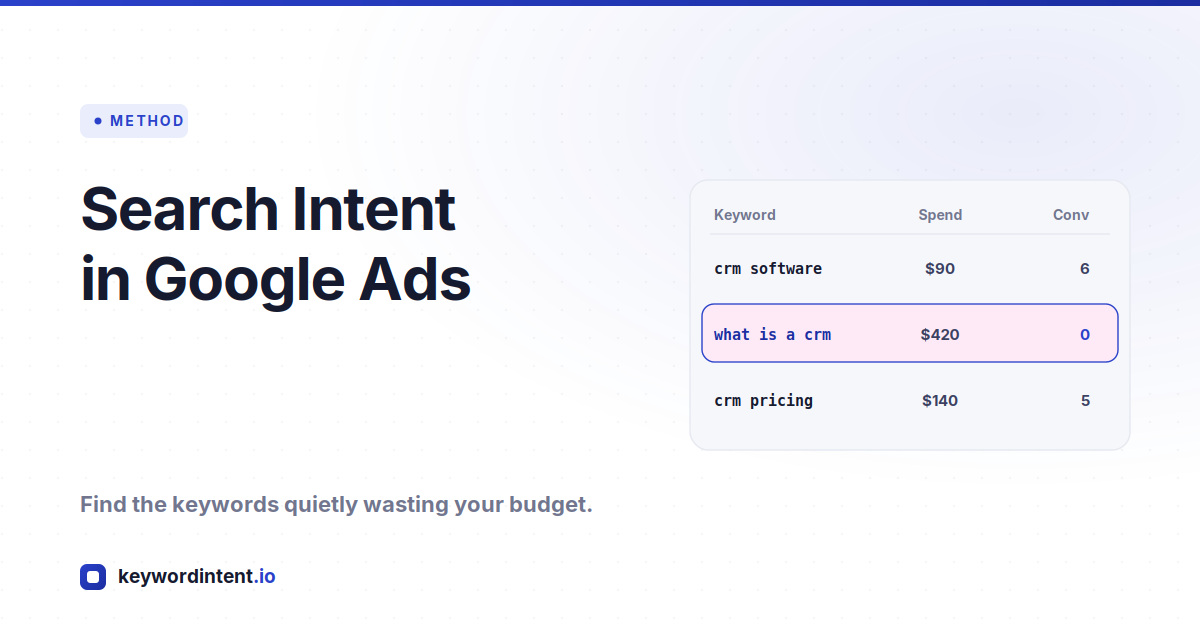
Search Intent in Google Ads: How to Find the Keywords Wasting Your Budget in 2026
You are looking at the keyword report and one line stands out: high spend, zero conversions. You search the term yourself and the results have nothing to do with what you sell. Somewhere along the way an agency or an automated suggestion added a keyword whose intent does not match your product, and it has been quietly burning budget ever since.
Catching those keywords is one of the highest-return checks in a paid account, and you do not need years of PPC experience to run it. What you do need is to understand the one thing that trips up almost everyone auditing keywords for the first time, and the nuance that keeps you from pausing the keywords that are actually working.
The Keyword You Bid On Is Not the Query People Typed
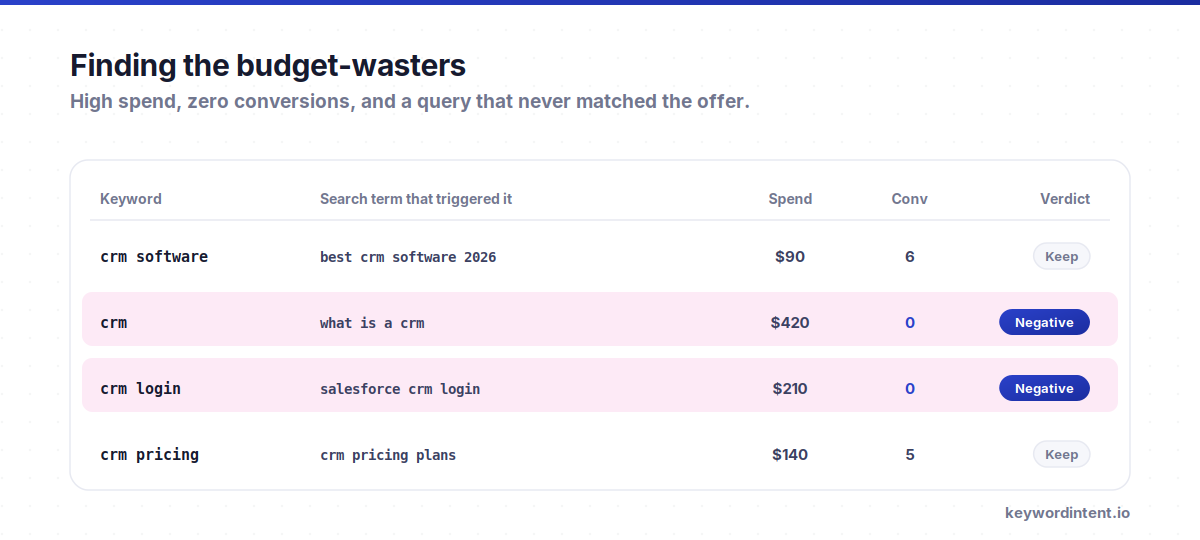
This is the piece that changes everything, so get it first. In Google Ads, the keyword is what you bid on, not what the user searched. Depending on the match type, the actual query can be very different from the keyword in your account. An exact match keyword stays close to what you set. A phrase or broad match keyword can trigger on a wide spread of queries, many of which you never listed and some of which have nothing to do with your offer.
So judging a keyword by the keyword text alone is the wrong unit of analysis. The report you actually want is the Search Terms Report, which shows the real phrases people typed before clicking your ad. That is where the intent mismatch hides. A keyword that looks fine on paper can be matching to a stream of queries with completely different intent, and until you read the search terms you are auditing a label instead of the traffic behind it.
The SERP Relevance Check
There is a smart, simple method for catching keywords that never belonged in the account. For each keyword, fetch the top organic result or the page it points to, and have a language model read that content and judge whether it lines up with what you actually sell. Where the content and your product do not match, the keyword's intent probably does not match either, and it gets flagged for review. Run it across the list and you surface the obvious offenders fast.
The reason this works is the same reason it works for organic search. The results page for a keyword is Google's own read on what the searcher wants. If everything ranking for a term is unrelated to your product, the people searching it are not looking for you, and paying to appear in front of them is spending to be ignored. As a way to catch keywords a busy agency or a broad-match expansion added without checking, it is genuinely useful, especially for a business owner who knows the product cold but not the account.
What the check is good at catching
Why Judging Relevance by Eye Can Mislead You
Here is the nuance that separates people who understand modern accounts from people who do not. With smart bidding and broad match working together, Google is not just matching words, it is finding users it predicts will convert, and it will serve your ad on queries that do not look literally relevant to you but convert anyway. The reverse is also true. A keyword that looks like a perfect fit can bring in clicks that never turn into anything.
That means relevance judged by eye, whether yours or a model's, is a useful signal and a dangerous verdict. A keyword you would swear is off topic might be one of your best performers because the system found buyers inside that query pool. If you pause on gut relevance alone, you can cut the traffic that was actually paying. Once a keyword is live and has real conversion data, that data outranks any relevance opinion. The eyeball check earns a keyword a second look. Only performance earns it a pause.
Pause on Data, Not on Spend or a Hunch
The most common mistake in the other direction is pausing too early. A keyword that has spent a small amount has not had enough traffic for anyone to know whether it is good or bad. Pausing it after a handful of clicks is not discipline, it is throwing out a keyword before it has told you anything. The threshold to act is statistical, not emotional.
The practical rules operators use are worth stating plainly, as heuristics rather than official numbers. If a keyword has racked up a meaningful click count, often cited around a hundred, with zero conversions, that is a real signal to pause. If a keyword has spent well past your target cost per acquisition without converting, say several times your target, it has earned the pause too. You can enforce both with automated rules so the account trims itself instead of relying on you to notice.
| Situation | The call |
|---|---|
| Small spend, no conversions yet | Wait. Not enough data. |
| High clicks, still zero conversions | Pause. The signal is real. |
| Spend well above target CPA, no conversion | Pause, or cap with a rule. |
| Looks off topic but converts well | Keep it. Data beats the eye. |
Negatives Are the Scalpel, Not the Sledgehammer
Often the right fix is not to pause a keyword at all. When the Search Terms Report shows a keyword is mostly matching to good queries with a few bad ones dragging down the average, pausing the keyword throws out the good traffic to kill the bad. The better move is to add the bad queries as negative keywords, so you keep what converts and block what wastes.
To find those patterns at scale rather than one query at a time, a lot of people run an n-gram analysis over the search terms, which groups the actual queries by the words they share and shows which words consistently spend without converting. Add those words as negatives and you cut the waste across every keyword at once. Pausing is the blunt instrument. Negatives are how you keep a keyword and remove only the part of it that does not match your intent. Both start from the same place: reading the queries, not the keyword.
So Is the SERP-Relevance Script Worth Running?
Yes, with a clear sense of what it is for. As a way to check whether a keyword's intent matches your offer in the first place, before it has spent much or as a periodic sweep of the account, it is a strong, low-effort filter. It is especially valuable when you know the product better than whoever built the account, because it turns your product knowledge into a check the account was missing. It answers the question “do we even have the right set of keywords?” which is a fair question to ask of any account you did not build yourself.
What it should not do is override the numbers. Once keywords are live, pause decisions belong to the Search Terms Report and conversion data, and you have to respect that smart bidding may be converting on queries that look irrelevant. Use the script to raise the questions and the data to answer them, and one more thing worth doing: take what you learn back to the agency. If they added keywords that never fit your product, the fix is not only pausing the keywords, it is making sure they understand the offer well enough not to add them again.
What careful account managers actually do
- Read the Search Terms Report before touching any keyword, because the queries, not the keyword text, carry the real intent.
- Set a threshold for clicks and cost per acquisition, and pause on that threshold rather than on a small spend or a gut feeling.
- Reach for negative keywords first when a keyword is mostly good, and pause only when the whole keyword is the problem.
- Trust conversion data over apparent relevance, since automated bidding routinely converts on queries that do not look like an obvious match.
A Keyword Intent Audit Workflow
Run it in this order and you catch the waste without cutting the wins.
- Pull the Search Terms Report and read what people actually searched, not just the keywords you are bidding on.
- Use the SERP relevance check to flag keywords whose results page has nothing to do with your product, treating each flag as a question.
- For live keywords, look at conversion data before deciding anything, and leave the ones converting well alone even if they look off topic.
- Pause keywords that pass a real click or spend threshold with no conversions, and set automated rules so it keeps happening without you.
- Add negative keywords for the wasteful query patterns an n-gram of the search terms reveals, so good keywords keep their good traffic.
- Sense-check intent up front with the keyword tool, where a healthy cost-per-click and competition confirm a term has commercial intent worth paying for.
Frequently Asked Questions
How do I know if a Google Ads keyword matches my product?
Read the Search Terms Report to see what people actually typed, and check the results page for the keyword to see what Google thinks the searcher wants. If the queries and the results have nothing to do with your offer, the intent does not match. For live keywords, conversion data is the final word over any relevance judgment.
Should I pause a keyword with high spend and no conversions?
If the spend and click count are high enough to be meaningful, yes. The trap is pausing after a small spend, which is too little data to judge. Common thresholds are a large click count with zero conversions, or spend several times your target cost per acquisition without converting. You can enforce these with automated rules.
Why does a keyword that looks irrelevant still convert?
With broad match and smart bidding, Google serves your ad to users it predicts will convert, not just to literal keyword matches, so it finds buyers inside query pools that do not look relevant to you. This is why you should not pause on apparent relevance alone once a keyword has real conversion data behind it.
What is the Search Terms Report and why does it matter?
It shows the actual phrases people searched before clicking your ad, which can differ a lot from the keyword you bid on under phrase or broad match. The intent mismatch usually lives in the search terms, not the keyword, so it is the first place to look when a keyword spends without converting.
Should I pause the keyword or add negative keywords?
If the keyword is mostly matching to good queries with a few bad ones, add the bad queries as negatives so you keep the good traffic. Pause the whole keyword only when the keyword itself is the problem. An n-gram of the search terms helps you find wasteful word patterns to negate across the account at once.
Is an AI relevance script a good way to audit keywords?
As a pre-launch or periodic sanity check on whether a keyword's intent matches your offer, yes, especially if you know the product better than whoever built the account. Just do not let it override conversion data on live keywords, since automated bidding can convert on queries that look irrelevant.
Finding the keywords that waste your budget comes down to reading the queries instead of the keywords, checking intent against what actually ranks, and letting conversion data settle the close calls. Flag mismatches with a relevance check, cut waste with negatives, and pause on a real threshold rather than a hunch. Before you add a keyword in the first place, confirm the intent is there on the keyword tool, where cost-per-click and competition tell you whether buyers are behind the term.