Keyword Research Without Paid Tools: How to Find More Keywords in 2026
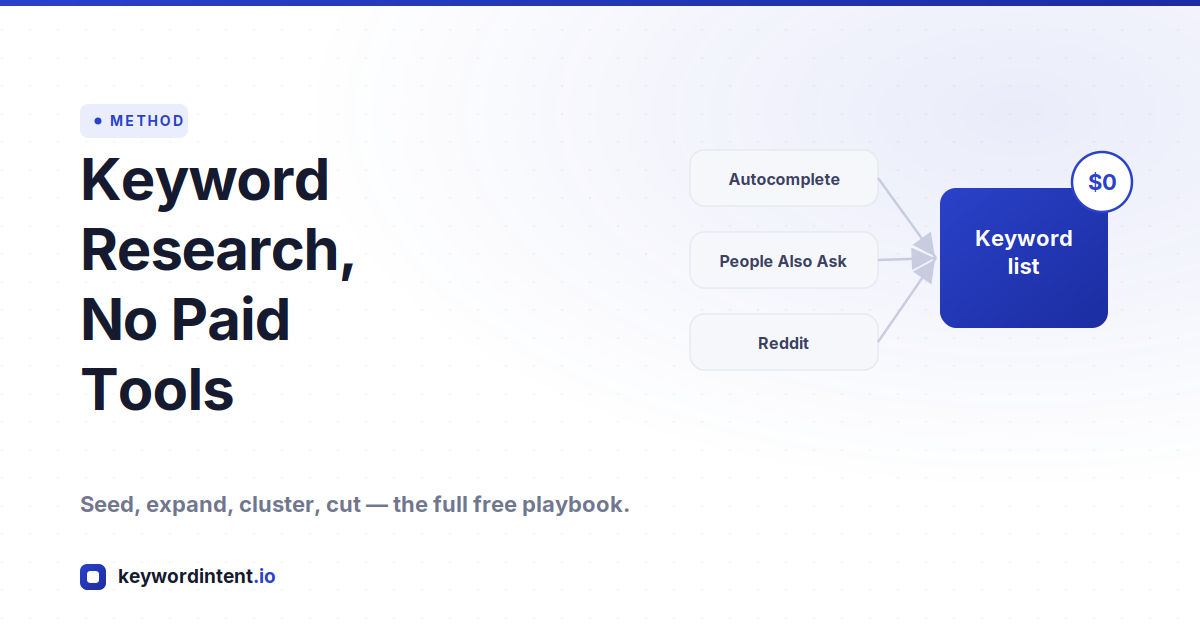
You do not need an expensive subscription to build a strong keyword list. The paid tools are mostly aggregators. They pull from sources you can reach yourself: Google, the search results, competitor pages, and the places your audience already talks. What you pay for is convenience, not access. The data underneath is largely public.
What you actually need is a repeatable way to expand a seed term into a real list, and a filter strict enough to keep only what is worth writing. This piece walks the free sources in the order they work best, then shows how to turn a messy pile of phrases into a research plan you can act on.
What Paid Tools Actually Buy You
Two honest caveats before you ditch the subscription. First, free volume data is rough. Google Keyword Planner buckets searches into broad ranges, and the popular free version of Ahrefs now shows ranges rather than exact numbers, so a term might read as “under 1,000” instead of a precise figure. Second, free competitor data is capped; you can see some of what a rival ranks for, not all of it.
Neither caveat is fatal. For research you need direction, not decimal precision. Knowing a keyword sits in the hundreds rather than the tens of thousands is usually enough to decide whether it belongs in your plan. Treat free numbers as a compass, confirm difficulty by reading the actual results, and the gap between free and paid shrinks to almost nothing for most projects.
Start With Seed Terms and Your Own Head
The most underrated keyword tool is your own understanding of the customer. Before you open anything, list the words real people use to describe the problem you solve. The trap here is jargon: the industry term and the customer term are often different, and the customer term is the one that gets searched.
If you have access to anyone who talks to customers, ask them what phrases come up. Sales notes, support tickets, and the way buyers describe their problem in their own words all become seed terms. A handful of strong seeds per topic is enough; the free sources below will multiply each one into dozens of real queries.
Google Keyword Planner
Keyword Planner is free with a Google Ads account, and it is the closest thing to data straight from the source. Many people set up an Ads campaign and immediately pause it to unlock full access to the planner without spending anything. It is excellent for building a foundation of terms and pulling rough volume and cost-per-click figures.
Its weakness is breadth. The suggestions skew wide and generic, so you have to trim hard for relevance and intent rather than accepting the list as given. When you only get a high and low cost-per-click estimate, average the two for a rough working number. Use it to seed and to gauge commercial value, not as the final word on what to write.
Autocomplete, A to Z
Google autocomplete is a live feed of what real people type, and it costs nothing. The trick is to be systematic. Start typing a seed phrase and a leading letter, like “how to bake a,” and note the suggestions. Then change the trailing letter to b, then c, and work through the alphabet. Each pass surfaces a fresh batch of real queries.
These are genuine searches, not estimates, which is what makes autocomplete so useful for catching the low-volume long-tail that tools miss. The keyword tool does this expansion in bulk: feed it a seed and use the wildcard filters for questions, comparisons, and alternatives to pull each shape of query as its own list instead of tabbing through letters by hand.
People Also Ask and Related Searches
The search results page is itself a keyword tool. The People Also Ask box lists the questions Google ties to your query, and clicking one expands it into more. The related searches strip at the bottom of the page does the same for phrase variations. Both are free, and both come straight from Google's own understanding of the topic.
PAA questions are especially valuable because each one is a ready-made informational page. They tell you the exact phrasing people use and the sub-questions they have, which is often sharper than anything a keyword database returns. Harvest them as you research and they become the backbone of the cluster around a topic.
Mine Reddit and Forums for Real Language
Keyword tools tell you what gets searched. Reddit and forums tell you why, and in the searcher's own words. Run a site search like site:reddit.com your topic to find the threads Google already ranks for the subject. Read the thread titles and the bolded phrases in the snippets; those are the terms Google associates with the topic, handed to you for free.
Then browse the relevant subreddit and sort by Top. Upvotes are built-in demand validation. A post with thousands of upvotes is a topic people demonstrably care about, and the way the question is phrased is frequently better copy than any tool output. Look for “how do I,” “I finally figured out,” and frustrated rant posts; each is a content angle with proven interest behind it.
To do this at scale, the Reddit Topic Hunter pulls posts from any subreddit so you can scan the highest-engagement topics in one place and export them, instead of scrolling thread by thread.
Read Your Competitors' Best Pages
Your competitors have already done a version of this research. You do not need a paid tool to benefit from it. Identify the strongest sites in your niche, find their highest-traffic pages, and look at what those pages are built to rank for. The subtopics they cover, the questions they answer, and the way they structure a guide all reveal keywords worth adding to your list.
Even without an expensive crawler, a manual pass works. Open the search results for your core terms, look at who ranks, and read their top pages for the angles you have not covered. The gaps between what they cover and what you have planned are your openings. Add the relevant ones and move on.
The Questions Hiding in the Comments
When a Reddit thread or a competitor's article ranks, the comments underneath are a second keyword source most people skip. The follow-up questions people ask in those comments are secondary keywords waiting to be claimed. They show you what the original content failed to answer, which is precisely the gap your page can fill.
Read the replies on the threads you find and note every distinct question. They reveal what people still do not understand about a topic, and content built directly on those questions tends to match intent tightly because it answers something a real person actually asked out loud.
Other Free Surfaces Worth Checking
- YouTube autocomplete. Video search has its own suggestion engine, and it surfaces phrasing that text search misses, especially how-to and tutorial intent. The YouTube Autocomplete tool pulls those suggestions for a seed term.
- Search Console. If your site already gets any impressions, the queries it shows are real terms you are close to ranking for. That is the warmest list you will ever find, because Google is already showing you for them.
- Question-expansion sites. Tools that map the questions around a phrase are useful for seeing how a topic branches into who, what, why, and how, even when their free tiers are limited.
- Bing and other engines. Their autocomplete and related searches sometimes return phrasings Google does not, which is worth a few minutes for a topic you are expanding hard.
Volume and Difficulty on a Free Budget
The two numbers people pay for are volume and difficulty, and you can approximate both. For volume, Keyword Planner ranges and free tool estimates give you the order of magnitude, which is usually all a decision needs. Do not throw away a long-tail just because it reads zero; rare phrases often go unmeasured while real people still search them.
For difficulty, skip the score and read the results yourself. Open the search results for a keyword and look at who ranks. If the top pages are thin, outdated, or off-target, and you can write something more complete, the keyword is gettable regardless of any number a tool assigns it. Our guides on keyword difficulty and the KGR method go deeper on reading competition without trusting a single score, and the KGR Tool flags long-tail terms where competing pages are scarce relative to volume.
Cluster the List, Then Cut It Down
A few days of expansion leaves you with a large, messy list, and a big list is not research yet. The work is in the trimming. A practical process that holds up: dump, review, tier. Dump every source into one list. Review it and remove anything that will not drive qualified traffic or sits on the wrong intent. Tier what remains, putting the highest-intent terms first.
Then group by intent so variations of the same query merge into one target instead of becoming a pile of overlapping pages. The Keyword Grouping Tool clusters a pasted list automatically, which turns hundreds of raw phrases into a manageable set of topics you can actually plan content around. The list you started with shrinks, and what survives is sharper.
A Free Keyword Research Workflow
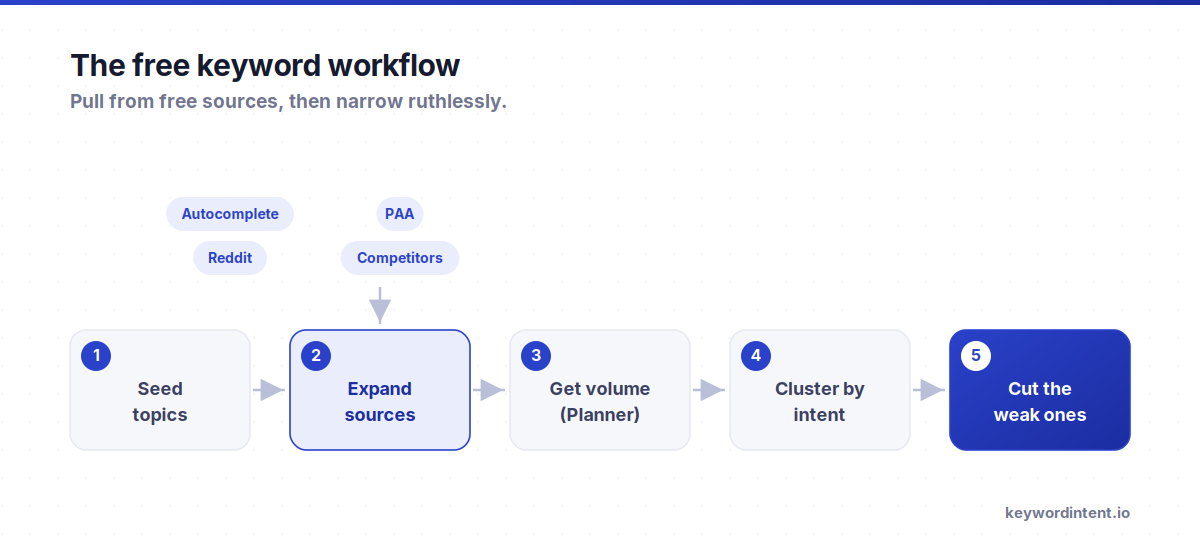
- Write seed terms from your own knowledge of the customer and the words they use, not the industry jargon.
- Expand each seed in Keyword Planner and on the keyword tool with the wildcard filters for questions, comparisons, and alternatives.
- Harvest autocomplete, People Also Ask, and related searches for the real phrasing people type.
- Mine Reddit and forums with Reddit Topic Hunter for validated demand, then read the comments for follow-up questions.
- Check competitor top pages and your own Search Console for terms you are close to ranking for.
- Judge difficulty by reading the results, then dump, review, and tier the whole list by intent and qualified traffic.
- Group the survivors in the Keyword Grouping Tool so each topic becomes one well-aimed page.
Frequently Asked Questions
Can you do keyword research without paying for tools?
Yes. Most paid tools aggregate public sources: Google autocomplete, People Also Ask, the search results, competitor pages, and forums. Working those sources directly, then clustering the result, gets you a strong list for the cost of your time rather than a subscription.
Is Google Keyword Planner enough on its own?
It is a solid foundation but not a complete process. It gives source data and rough volume, yet its suggestions are broad and you have to trim hard for relevance and intent. Pair it with autocomplete, PAA, and forum mining to catch the long-tail it tends to miss.
Are free keyword tools accurate?
Accurate enough for direction, not for precision. Free volume data comes in broad ranges rather than exact figures. For deciding what to write, the order of magnitude is usually all you need, and you can confirm difficulty by reading the actual search results.
How do I find low-competition keywords for free?
Focus on the long-tail and read the results. Pull specific phrases from autocomplete and forums, then open the search results to see if the ranking pages are thin or outdated. A scoring tool like the KGR Tool helps by flagging terms where few pages compete relative to search volume.
Is Reddit good for keyword research?
Very. A site search surfaces the threads Google already ranks, and sorting a subreddit by Top shows topics with validated demand. The exact phrasing people use in their questions, plus the follow-up questions in the comments, often beats anything a keyword database returns.
What is the fastest free way to expand a keyword list?
Start from a seed and run it through autocomplete and the wildcard filters on a keyword tool to pull questions, comparisons, and alternatives at once, then grab the People Also Ask questions from the results page. That combination expands one seed into dozens of real queries in minutes.
The paid tools are convenience, not a moat. Seed from what you know about the customer, expand across autocomplete, PAA, Reddit, and competitor pages, judge difficulty by reading the results, then cluster and cut. Start by expanding a seed on the keyword tool, validate demand with Reddit Topic Hunter, and group the winners in the Keyword Grouping Tool before you write a word.